From Photos to 3D: Creating Custom Models with AI for Creative Street Scenes

May 2026 Update: The hosting and import steps in this post (OptimizeGLB.com + paste-URL) are no longer required. 3DStreet now has a built-in custom asset upload system: drag your GLB straight into the editor and it is automatically optimized, stored in your account, and placed in the scene. The AI generation workflow below still applies — just skip steps 4 and 5 and drag-and-drop the downloaded GLB instead. See the updated docs on adding custom models.
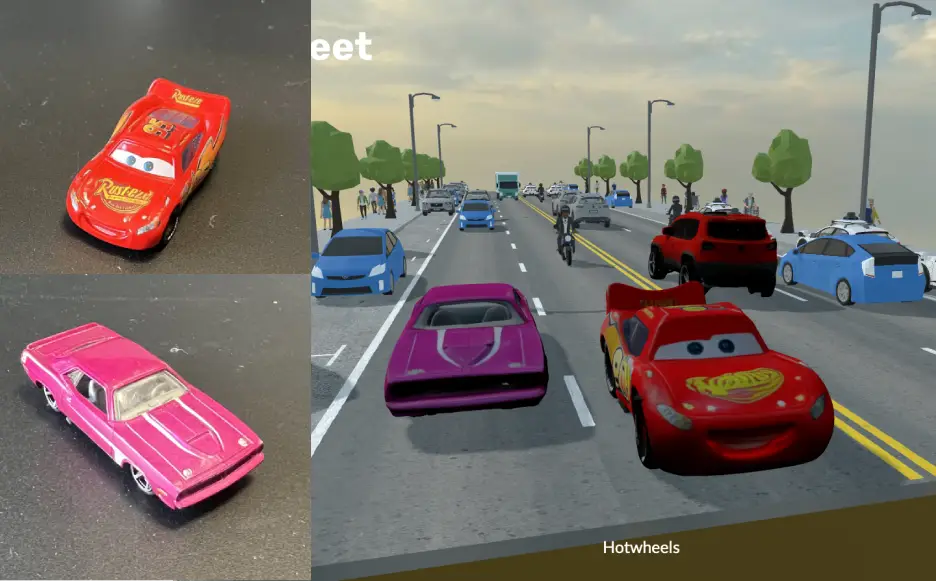
Have you ever found yourself designing a street scene and wishing you had that perfect 3D model to bring your vision to life? Whether it's a unique piece of street furniture, a local landmark, or even a toy car, traditional 3D modeling can be time-consuming and requires specialized skills. But what if you could turn any object into a 3D model with just a couple of photos and some AI magic? Let's explore how to do exactly that!